


If you’ve spent any real time in the WordPress block editor, you’ve probably been there: you pull up a predefined pattern, it’s almost right, but it’s loaded with custom colors, spacing, typography, and background settings baked in from whoever built it. You think about stripping it down… then you think about how long that’s going to take… and then you just rebuild the whole thing from scratch.
Which defeats the entire purpose of having patterns in the first place.
Patterns exist to save you time. They’re supposed to be a starting point, not a straitjacket. But when a pattern comes pre-loaded with a full suite of custom attributes you’d need to zero out one by one, it can actually be faster to reinvent the wheel than to use the wheel you already have. That’s a problem worth solving.
Enter Block Zapper
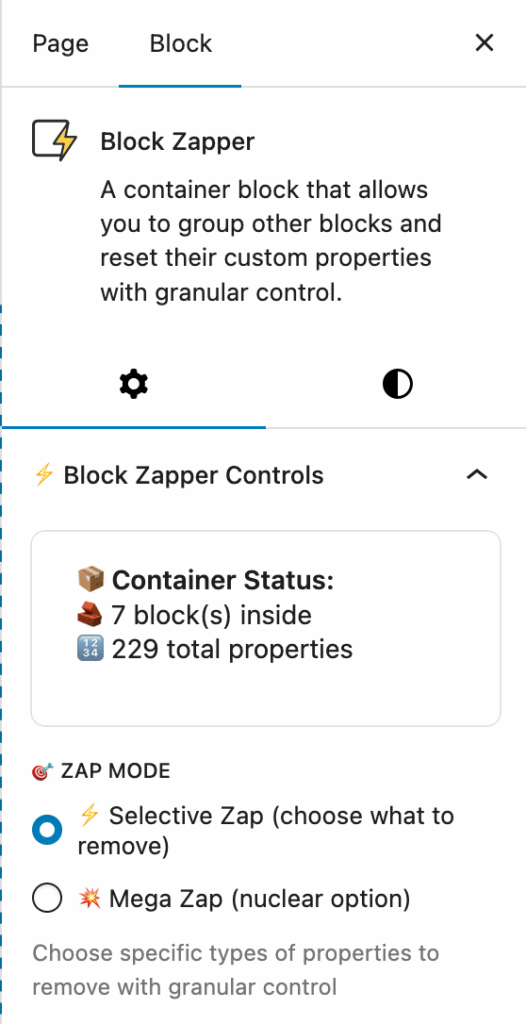
Block Zapper is a utility that does exactly what the name suggests: it zaps the custom attributes out of your block patterns so you can actually use them as clean starting points.
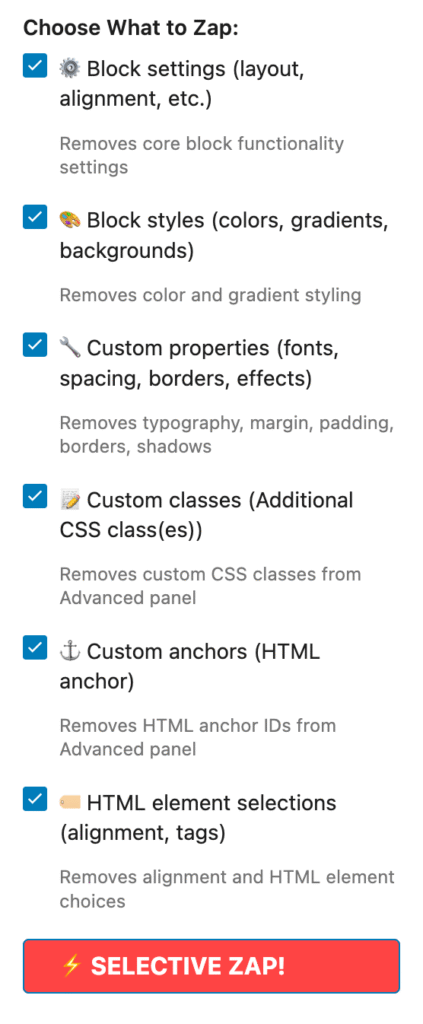
What makes it more than a blunt instrument is the control it gives you. You can choose to preserve images and cover backgrounds — so the structural and visual elements you want to keep stay intact — while clearing out everything else. Or you can go more surgical, targeting only specific sets of attributes while leaving others untouched. It’s the kind of granularity that makes a tool genuinely useful instead of just fast.
A Caveat Worth Taking Seriously
Here’s where we want to be straight with you: Block Zapper is, by the my own admission, almost entirely vibe-coded.
If you’re not familiar with the term, “vibe coding” refers to AI-assisted development where the code is generated rapidly based on intent and iterative prompting — rather than methodically engineered and tested from the ground up. The output can be perfectly functional, but it can also behave unexpectedly in edge cases that weren’t anticipated during development.
That’s not a reason to avoid it. It is a reason to treat it accordingly.
Test it thoroughly in a sandbox before you let it anywhere near a development environment — and absolutely before it touches production. Spin up a staging site, run it against a variety of block types and pattern configurations, and make sure you understand what it does (and doesn’t do) before you build it into your workflow.
Be DOUBLY sure to move your zapped blocks OUT of Block Zapper when you’re done your cleanup! Block Zapper won’t save your data when you leave the editor.
The Bigger Point
Tools like Block Zapper are a good reminder that the WordPress ecosystem is still very much being figured out — especially as AI-assisted development becomes more common. You’ll increasingly encounter utilities that are scrappy, fast, and genuinely useful, but that haven’t been battle-tested at scale.
The answer isn’t to ignore them. It’s to adopt them thoughtfully: sandbox first, verify behavior, then integrate.
And maybe stop rebuilding patterns from scratch.
Leave a Reply